In short, what this guide covers: why a home carrier's roaming plan is rarely useful in Uzbekistan, how much data a Silk Road itinerary between Tashkent, Samarkand and Bukhara actually needs, what coverage looks like along that route, and how to set up an eSIM before landing at Tashkent International.
1. Why home roaming doesn't help here
Uzbekistan sits outside the roaming zones that make travel inside the EU or between some neighboring regions painless. Most home carriers fall back to standard international roaming rates the moment the plane lands at Tashkent International, often billed per megabyte, which adds up fast once maps, messaging apps and translation tools are running most of the day.
Business travelers heading to Tashkent, tour groups working through the Silk Road circuit, and independent travelers extending a Central Asia trip usually land on the same three options: pay whatever the home carrier charges for a roaming add-on, queue for a local SIM with a passport in hand, or set up an eSIM in advance with a known price and no queue at all.
An eSIM is a carrier profile downloaded directly onto the phone rather than a physical card. A data package for Uzbekistan is bought ahead of time at a known price, and the home number stays active in the background for calls and texts.
2. How much data a Silk Road route needs
The most common mistake is sizing a package for a single city rather than the whole route.
2.1 Realistic daily usage on the road
Navigation and checking a map use roughly 5 to 10 MB per hour of active use, which matters on the long desert stretches between cities where a wrong turn costs real time. Messaging apps and translation tools together run about 40 to 60 MB per hour of steady use. A standard-quality video call costs around 300 MB per hour, and thirty photos shared through a messaging app add up to roughly 90 MB.
A travel day spent mostly sightseeing and messaging lands around 300 to 500 MB. A one-week route covering Tashkent, Samarkand and Bukhara is comfortably covered by 3 to 5 GB, and a longer two-week itinerary that adds Khiva usually fits within 8 to 10 GB, provided offline maps are downloaded before departure.
2.2 When a bigger package makes sense
Filming or uploading content daily, joining video calls for work while on the road, or sharing a hotspot with a travel companion all justify a larger allowance. Outside those cases, an unlimited plan is usually paying for peace of mind rather than an actual need.
3. Coverage between Tashkent, Samarkand and Bukhara
eSIM providers don't operate their own towers, they resell access to a local carrier's network. Coverage quality depends on which partner a given plan uses, not the brand printed on the sales page.
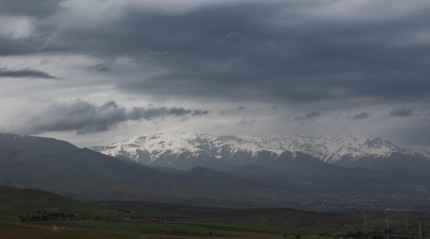
Tashkent has consistently strong 4G, and the high-speed rail corridor connecting it to Samarkand and Bukhara is well covered along most of its length, since the line runs close to populated areas. Coverage gets noticeably weaker in the open desert sections away from the rail line and in some of the more remote approaches to Khiva, where a phone can drop to a slower connection or lose signal for stretches at a time.
Downloading offline maps for the desert legs of the trip, rather than relying on a live connection, is the habit that saves the most frustration on this particular route.
4. Comparing offers and finding promo codes
Prices for the same data volume on the same destination can differ by a wide margin between providers. A quarter hour spent comparing before buying is usually worth it, especially since the whole process happens online with no time pressure.
If you'd rather see several providers side by side along with the best eSIM for Uzbekistan in one place, it saves the back-and-forth between tabs the night before a flight.
|
Provider |
Code |
Discount |
|---|---|---|
|
Voye |
MYBESTSIM |
-15% |
|
9esim |
MYBESTSIM |
-10% |
|
BambooSIM |
MYBESTSIM |
-10% |
|
Billion connect |
MYBESTSIM |
-10% |
|
ConnectedYou |
MYBESTSIM |
-10% |
|
DuaSim |
MYBESTSIM10 |
-10% |
5. Setting up your eSIM before you fly
The main advantage of an eSIM is that the whole setup happens at home, on your own wifi, without any pressure.
5.1 Installing the profile
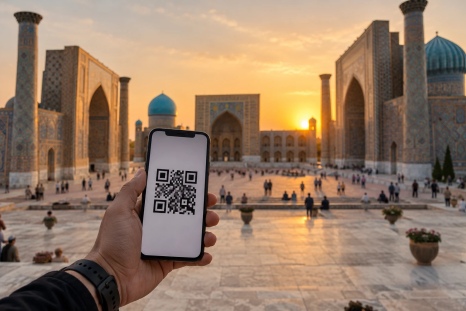
After purchase, a QR code arrives by email. It's scanned from the phone's settings, under the section for SIM cards and cellular network. The profile downloads in a matter of seconds and appears alongside the home carrier's line. Giving it a clear label, such as the destination name, avoids confusion the next time you travel.
One detail worth checking: downloading the profile isn't the same as starting the plan's validity period. Most providers start counting days from the first connection to the local network, but some start from the date of purchase. If the package is bought well in advance, it's worth confirming which rule applies.
5.2 Settings to check before departure
Set the Uzbekistan profile as the default for data, and leave the home line active for calls and texts. Turning off data roaming on that line is the single setting that prevents the phone from quietly switching back to expensive home data whenever the local profile briefly loses signal in the desert stretches, which is the most common cause of surprise charges after a trip.
6. Common mistakes travelers make
Buying more data than a route needs. Ten gigabytes for a five-day Tashkent-Samarkand-Bukhara loop is usually money left on the table. Buying a smaller package and topping up through the provider's app takes only a few minutes if needed.
Checking phone compatibility at the last minute. eSIM is supported on iPhones from the XS onward (2018), Galaxy phones from the S20 series, and Pixel phones from the third generation, but the device also has to be unlocked from any carrier restriction. That check is worth doing before buying a plan, not at the airport.
Leaving old profiles on the phone. Phones can only store a limited number of eSIM profiles. Removing the ones no longer in use after each trip avoids running out of space before the next one.
Assuming the rail corridor has the same coverage as the cities. Signal along the Tashkent-Samarkand-Bukhara line is generally solid but not identical to what's available inside the cities themselves, especially through the more remote sections.
7. What to do if your eSIM won't connect
Start with the simplest fix: toggle airplane mode on for about fifteen seconds, then off. This forces the phone to search for a network again and resolves most cases right after landing. Next, check in settings that mobile data is assigned to the correct profile, since a restart can sometimes reset this back to the default.
If that doesn't help, turn off automatic network selection and manually choose the operator specified by the provider. Also check the APN settings, which some plans require entering manually, usually detailed in the same email as the QR code.
Before contacting support, confirm the plan has actually been activated rather than just downloaded, and that the data allowance hasn't already been used up.
8. Final thoughts
Uzbekistan sits outside the roaming agreements that make travel within the EU straightforward, so connectivity along a Silk Road route is worth planning for rather than assuming. An eSIM bought ahead of time, sized to 3 to 5 GB for a week covering Tashkent, Samarkand and Bukhara, covers the needs of most travelers using maps, messaging and translation tools.
The preparation takes about fifteen minutes at home: checking that the phone is compatible and unlocked, comparing a few offers, buying the package that matches the actual route, and downloading the profile. From the moment you land, the rest takes care of itself.
FAQ
Will I keep my home phone number?
Yes. The eSIM runs alongside the physical SIM, which stays active for calls and texts. Just turn off data roaming on that line.
Is it better to buy a local SIM on arrival instead?
It's possible and often inexpensive, but it means finding a kiosk and showing a passport right after a long flight. An eSIM bought in advance is active the moment you touch down.
How do I check if my phone supports eSIM?
In settings, under the section for SIM cards, there should be an option to add a cellular plan or eSIM. You can also dial a code that displays device identifiers and check whether an EID number appears.
Does coverage reach the desert stretches between cities?
It's inconsistent away from the rail line and main roads. Download offline maps before any long desert leg and treat connectivity there as a bonus, not a given.
Can I share my connection with someone else?
Most plans allow hotspot sharing, though the cheapest tiers sometimes disable it. Check the plan description before buying if you plan to connect a laptop or a companion's phone.